Personal Daily Briefing
Start the day with a snapshot of your own work.
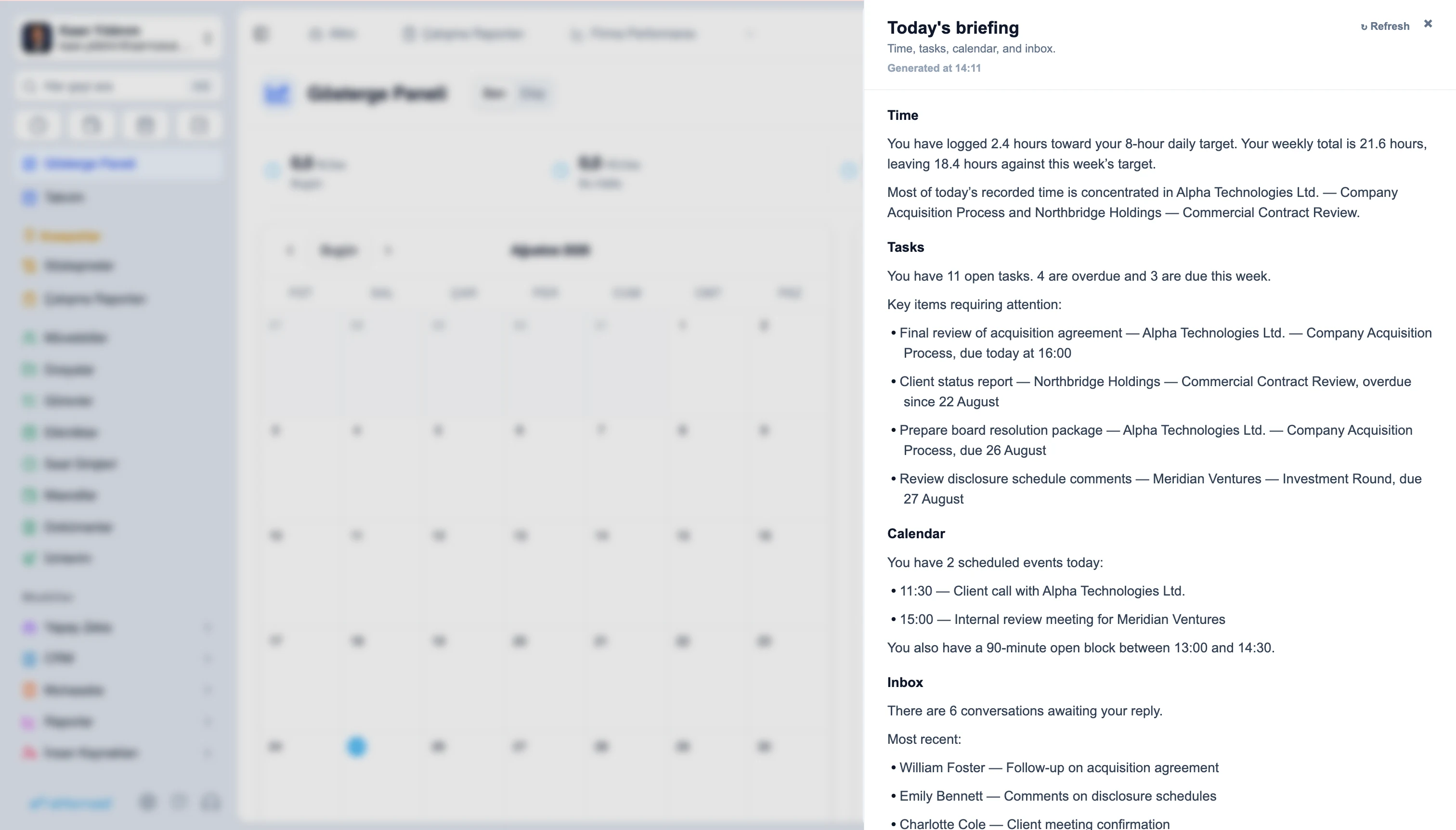
Time and activity
Tasks and upcoming work
Events and plans
Relevant emails
Today's priorities
Ask the Attro Data Analysis Assistant questions about matters, tasks, time entries and firm activity. Move from a plain-language question to a clear answer without manually filtering records or preparing another spreadsheet.
Ask about matters, clients, tasks and time entries.
Query structured Attornaid data in natural language.
Get totals, summaries and clear breakdowns.
Continue with follow-up questions when you need more detail.
Which matters recorded the most billable hours last month?
Which clients have the highest amount of unbilled work?
Which open tasks are overdue?
Which lawyers recorded the most non-billable hours?
The Attro Data Analysis Assistant turns the information already inside Attornaid into practical snapshots for individuals, teams and firm leadership. Start with the priorities, risks and activity that matter now.
Start the day with a snapshot of your own work.
Time and activity
Tasks and upcoming work
Events and plans
Relevant emails
Today's priorities
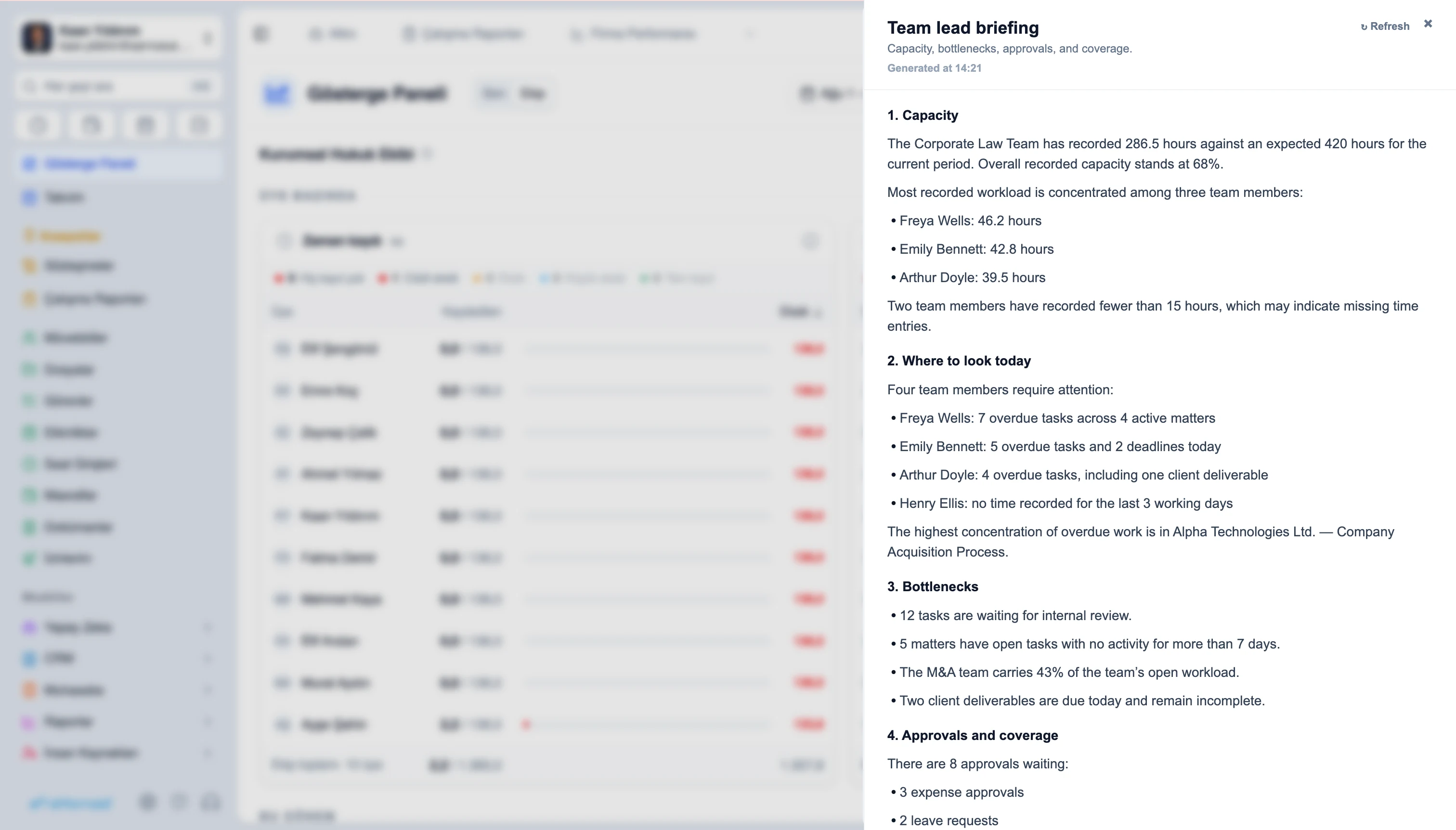
See where the team needs attention.
Capacity and workload
Bottlenecks
Pending approvals
Substitutions and coverage
Team priorities
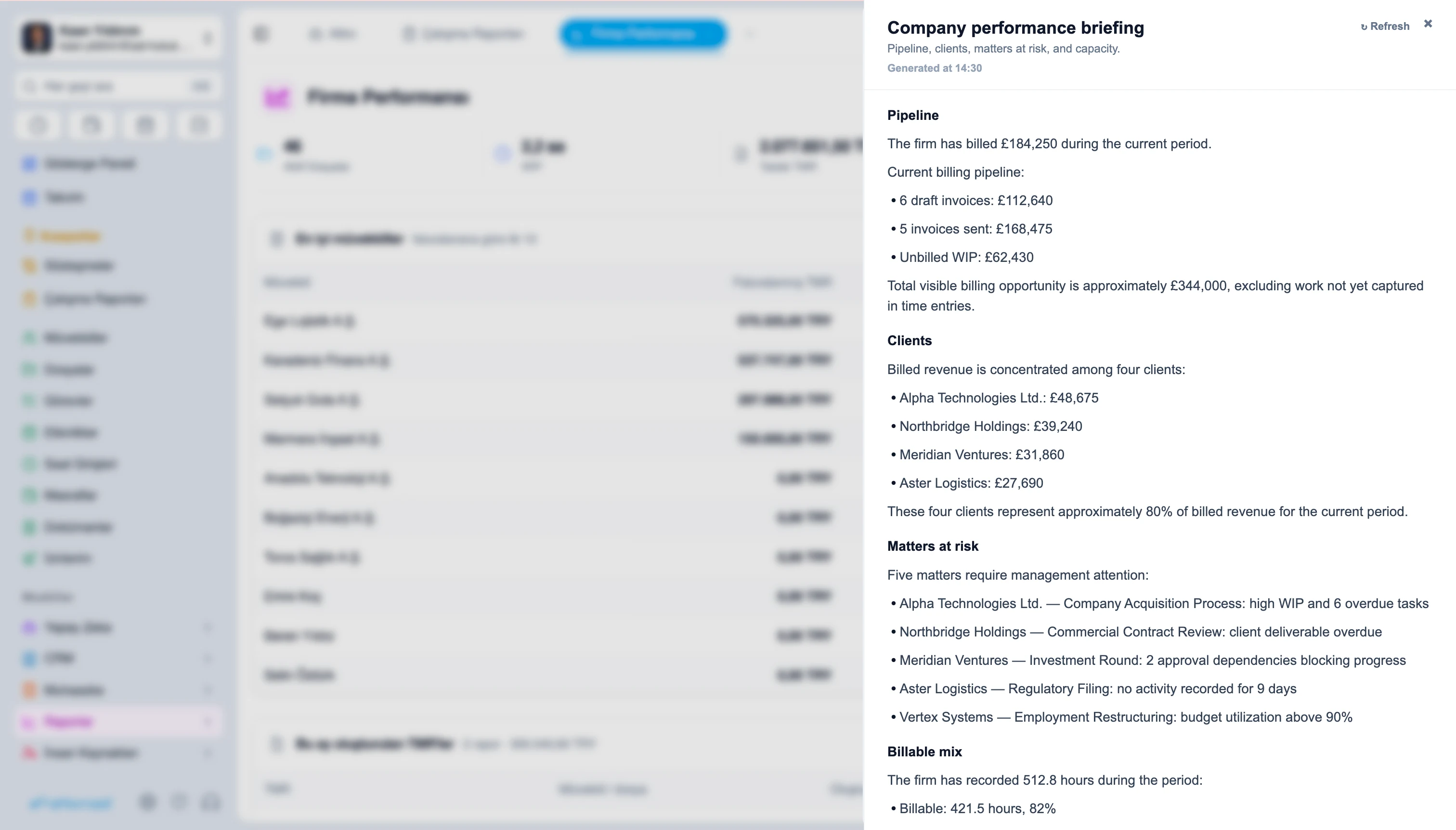
See the wider picture from the Company Performance Report.
Pipeline
Clients
Matters at risk
Billable mix
Today's focus
Use the Attro Data Analysis Assistant to turn everyday firm activity into a clear starting point for the day.
Turn Attornaid data into charts and visual summaries from a natural-language question. Compare activity, workload and performance without building a dashboard first.
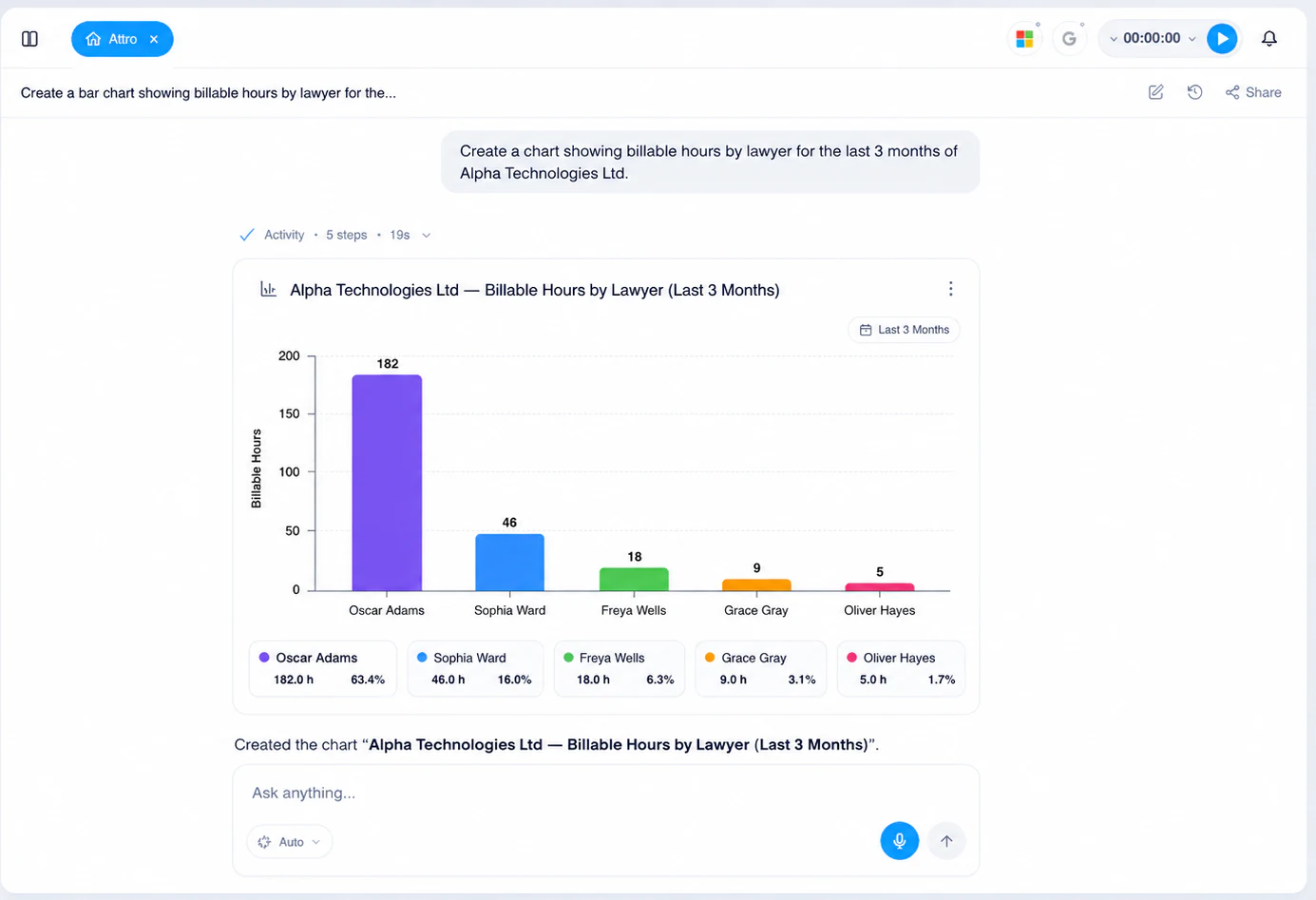
Create charts from Attornaid data.
Compare matters, clients, lawyers or periods.
See patterns in time, workload and activity.
Turn raw records into easier-to-read insights.
Show billable hours by lawyer for last month.
Compare unbilled work by client.
Show how team workload changed over the last three months.
AI that can work with your practice data.
| Capability | Attro Data Analysis Assistant | Standalone LLM |
|---|---|---|
| Query structured Attornaid data | Available | Not available |
| Ask about matters, clients, tasks and time entries | Available | Not available |
| Receive personal, team and company briefings from Attornaid data | Available | Not available |
| Create charts from practice data | Available | Not available |
| Keep answers connected to the underlying records | Available | Not available |
| Work without copying firm data into a separate chat | Available | Not available |
Use AI where the work already happens.
Ask questions, see what needs attention and act on your firm's data with the Attro Data Analysis Assistant.
Answers about what you can ask the Attro Data Analysis Assistant, what its daily briefings include, and how it differs from AI Workspace.
It is the assistant in Attro AI, Attornaid's AI module, for querying structured practice data and creating briefings and visual insights inside the application.
You can ask questions about supported Attornaid data such as matters, clients, tasks, time entries and firm activity.
They are snapshots built from Attornaid data. Personal and team briefings appear in the dashboard, while the Company Briefing is available in the Company Performance Report.
It can summarize areas such as time, tasks, upcoming events, plans, relevant emails and today’s priorities.
It can surface capacity, workload, bottlenecks, approvals, substitutions or coverage, and team priorities.
It provides a broader view of areas such as pipeline, clients, matters at risk, billable mix and today’s focus.
Yes. The assistant can turn supported structured data into charts and visual summaries when the question calls for it.
No. AI Workspace is where the Attro Legal Assistant works with legal documents. The Attro Data Analysis Assistant works with structured Attornaid application data and operational records.
Cookie preferences
By clicking “Accept,” you agree to our use of cookies to enhance site navigation, analyze usage, and support ad personalization and measurement, as described in our Cookie notice. Privacy Policy
Turn each category on or off separately. You can change your choice at any time from this screen.
Needed to serve the page, keep it secure and remember your cookie choice. Cannot be turned off.